



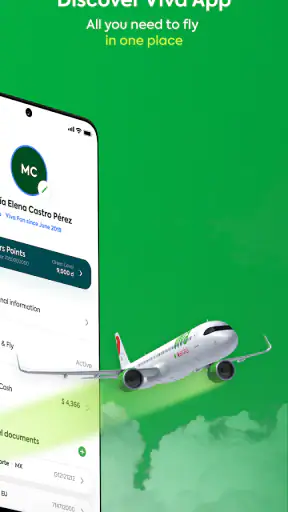
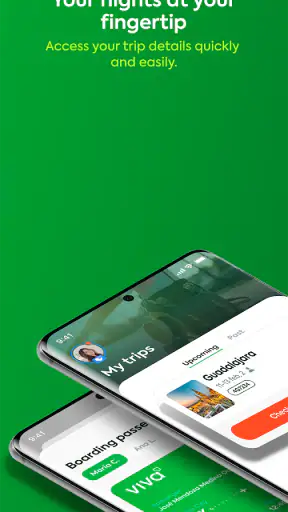
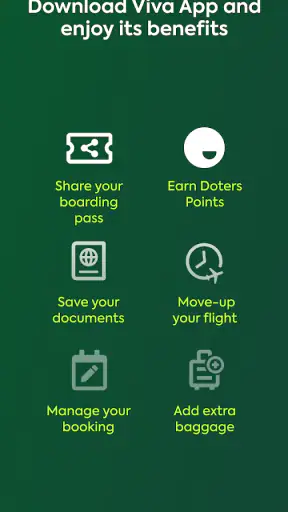
I found Viva most useful when I treated it as a travel companion for the parts of flying that are easy to forget, rather than as a complete replacement for every travel tool. Developed by Viva Aerobus, this free Travel & Local app brings a passenger’s reservation, travel documents, check-in, and boarding pass together in one place. My overall view is positive: it can remove a lot of last-minute searching, especially when a flight is approaching, but its value is naturally tied to traveling with Viva Aerobus.
The app has a 4.6 average from around 86 thousand ratings and has passed 5 million installs, which suggests that it is already a familiar part of many passengers’ routines. I can understand that appeal. Instead of moving between email, screenshots, a browser, and a paper document, I can open one dedicated app and work through the flight-related tasks from there.
What makes Viva practical before and during a flight
A single place to recover the details that matter
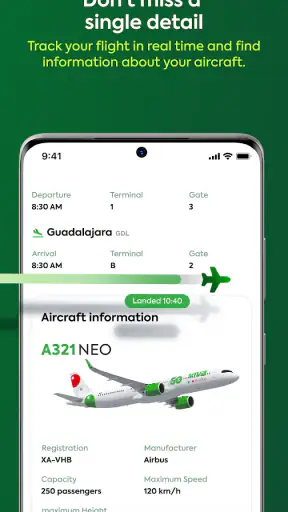
The most convincing part of Viva is the way it focuses on the passenger journey rather than trying to become a general travel planner. Once I need to check a reservation, locate travel documents, complete check-in, or bring up a boarding pass, having those actions grouped together is more comfortable than relying on scattered messages.
That matters in ordinary situations. Imagine arriving home after work and realizing that your flight is coming up soon. I would rather open Viva and look for the reservation there than search through an inbox for the confirmation message, open a mobile browser, and hope I still remember which details are needed. The app turns that small administrative job into a more direct routine.
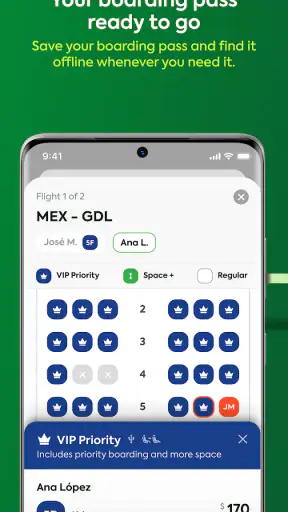
The boarding pass is particularly useful in this context. Keeping it inside the same travel app reduces the temptation to depend on a screenshot that may be outdated or difficult to find among photos. I still prefer to prepare before leaving for the airport, but the dedicated location makes that preparation easier to repeat consistently.
Check-in is more convenient when the phone becomes the travel folder
For a passenger who normally handles everything on a phone, Viva fits naturally into the process. I can use it to access the reservation, work through check-in, and keep the resulting boarding information close at hand. That sequence is more valuable than any single button because it follows the order in which most travelers actually prepare.
One useful habit is to open the app before packing is finished, not only when I am already standing in an airport line. That gives me time to review the reservation and make sure the documents and boarding pass are available. It also separates two tasks that people often mix together: confirming that the trip information is accessible and presenting the pass when it is needed.
I would not treat the app as a reason to stop carrying a backup plan. A phone battery can run low, a screen can become hard to read in bright light, and airport connectivity can be inconsistent. Viva makes digital access simpler, but sensible preparation still means charging the phone and knowing where the important travel information is stored.
The useful advantage over ordinary alternatives
The usual alternative is a mixture of an airline website, confirmation emails, wallet screenshots, and browser tabs. That approach can work, but it tends to break down when a traveler changes phones, clears notifications, or cannot remember which message contains the relevant document. Viva’s advantage is not that it replaces every travel service; it is that it gives Viva Aerobus passengers a recognizable home for the airline-specific steps.
Compared with a general travel organizer, the app is also more focused. A broad organizer may be better for combining hotels, trains, maps, and flights from several companies. Viva is the better fit when the immediate problem is managing a Viva Aerobus booking. I would not install it expecting a universal itinerary manager, but I would choose it over a generic notes app for the airline’s own reservation and boarding workflow.
Small workflow choices that make it more useful
I found three practical habits especially worthwhile. First, I would sign in or retrieve the reservation while I still have a stable connection, rather than waiting until the terminal. Second, I would check the boarding pass after check-in instead of assuming that completing one step means every document is already ready to display. Third, I would keep the app easy to reach on the phone’s main screen during the travel day, because searching through a crowded app drawer is exactly the kind of minor friction it is meant to remove.
A fourth habit is to use the reservation view as a quick pre-departure checkpoint. I would look at it alongside my packing list and confirm that the travel documents are available before leaving. This does not replace reading the airline’s instructions, but it reduces the chance of discovering at the airport that I have only an email confirmation and not the information I expected to present.
These are not flashy features, yet they are where the app earns its place. Travel problems are often caused by small moments of confusion rather than complicated technology. A clear, dedicated route to the reservation and boarding pass can make those moments less stressful.
Where the experience has limits
The biggest limitation is also the most obvious one: Viva is designed around Viva Aerobus travel. If I frequently fly with several airlines, the app cannot become my single control center for all of those journeys. I would still need each other airline’s app or website, plus a separate way to organize the wider itinerary.
That makes the installation decision fairly simple. A regular Viva Aerobus passenger can justify keeping a dedicated airline app because the reservation and boarding tasks recur. Someone taking one isolated flight may prefer using the airline’s mobile website and storing the confirmation elsewhere. The free price removes a financial barrier, but it does not remove the question of whether the airline is part of that person’s normal travel pattern.
I also think the app should be viewed as a convenience layer, not as a guarantee that every airport interaction will be effortless. Check-in and document access can be straightforward inside the app, while the wider travel experience may still involve airline rules, airport procedures, baggage decisions, or situations that require assistance. The app helps me reach the relevant information; it cannot make every exception disappear.
Another point of friction is the dependence on a working phone. A digital boarding pass is convenient when the device is charged and usable, but it is less reassuring than a plan that includes a backup. I would keep the reservation details accessible before traveling and avoid relying on the app for the first time after arriving at the airport. That is not a criticism unique to Viva, but it is important when an app becomes the main place for travel documents.
Who should use it regularly
Viva is a strong match for passengers who book Viva Aerobus often, prefer handling travel from a smartphone, and want the airline’s key actions grouped together. It should also suit people who dislike digging through email for a reservation or who regularly forget where they saved a boarding pass. The Everyone age rating makes it broadly approachable for families and travelers who may need a simple, direct way to reach the flight information.
I can also see it helping a person who organizes travel for a relative. Having the airline’s reservation and boarding information in a dedicated place may make it easier to guide someone through preparation before the flight. The important thing is to set up and review the process early, rather than handing over a phone at the airport and expecting everything to be obvious under pressure.
For occasional travelers, the answer is more conditional. If the app gives quick access to the reservation and boarding pass for an upcoming Viva Aerobus trip, it is worth trying because it is free and focused. If the traveler already has a reliable browser workflow and does not want another app on the phone, the benefit may be modest. In that case, a general travel organizer can be better for keeping several airlines and bookings together.
Installation details and day-to-day fit
Viva is available as a free app from the developer Viva Aerobus. It was released on January 21, 2022, and the current version is 2.62.1, with Android 10 as the minimum operating system. Those details make it relevant to people using a reasonably current Android phone, while anyone with an older device should check compatibility before planning around it.
The app’s store summary points to its central role: checking in, accessing a reservation, handling travel documents, and using a boarding pass. I appreciate that the focus is narrow because travel apps can become cluttered when they try to cover every possible part of a trip. Here, the most important question is not whether it can organize an entire vacation, but whether it makes the Viva Aerobus flight workflow easier to manage.
The rating and install figures are encouraging, but I would not choose an airline app on popularity alone. My decision would depend on how often I fly with that airline and whether I prefer a native app to a mobile browser. The strongest evidence for Viva is practical: it gathers the tasks I need at the moment when losing time or information is most inconvenient.
My recommendation after using it as a passenger tool
My verdict is that Viva is a useful, focused companion for Viva Aerobus passengers, especially when a trip is close and the reservation, documents, check-in, and boarding pass all need to be within easy reach. Its best quality is organization. It replaces a loose collection of messages and tabs with a dedicated airline workflow that I can revisit before leaving home and during the travel day.
I would recommend it to frequent Viva Aerobus travelers and to anyone who wants a simpler way to prepare for an upcoming flight. I would be less enthusiastic about it for people who rarely use the airline or who need one app to manage multiple carriers, hotels, ground transport, and a complete itinerary. For them, a general travel organizer or the relevant airline websites may be more flexible.
My practical advice is to install Viva before the travel day, retrieve the reservation while the connection is reliable, complete the required preparation early, and keep a backup plan for the boarding information. Used that way, it does what I want from an airline app: it reduces searching, puts the important flight steps together, and stays out of the way when I simply need to get ready to travel.


